Explicit runtime
Provider, model, sandbox, and approvals are all chosen deliberately through the product's own settings and command flow.
Midnight Coder
A local-first coding agent built for explicit control over model selection, sandboxing, approvals, and conversation history. It keeps the runtime close to the workspace instead of hiding it behind a thin chat shell.
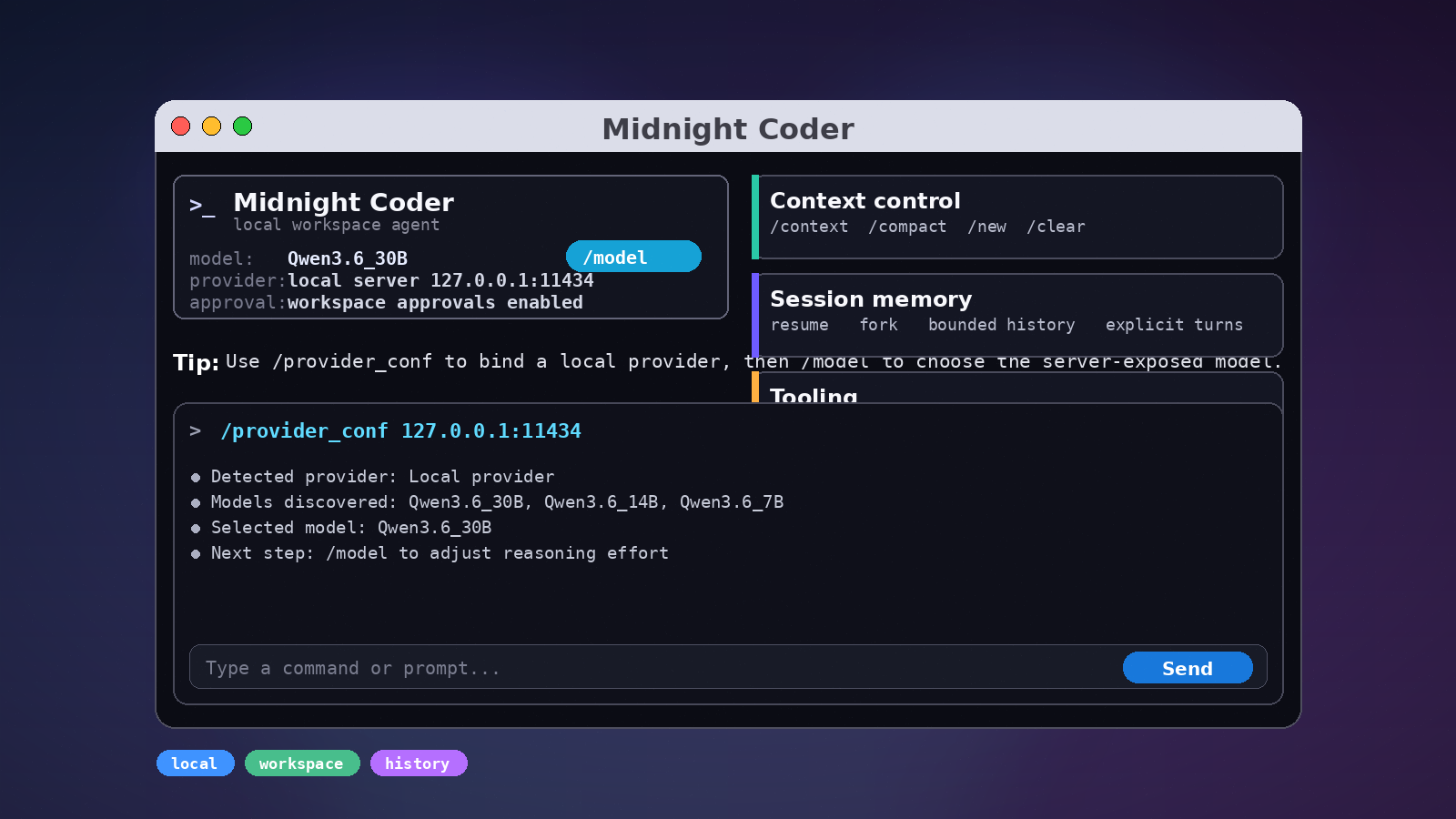
Provider, model, sandbox, and approvals are all chosen deliberately through the product's own settings and command flow.
Use /provider_conf to probe a local provider from an
ip:port address, detect available models, and save the
provider and model that were found.
Conversations persist as threads and turns, can be resumed or forked, and can be compacted when history needs trimming.
The terminal workflow powers the app-server, Python SDK, TypeScript SDK, and release packaging that keeps binary artifacts reproducible.
Guides and technical answers
Practical, source-backed guides for choosing a local coding agent, connecting Ollama, managing context, and embedding the runtime.
Understand the runtime, privacy boundary, model control, and workspace workflow.
AI agents AI coding agents for developersCompare repository agents, terminal workflows, Codex-style tools, Cursor-style tools, and Claude Code-style CLIs.
Developer AI tools AI tools for software developmentMap AI code assistants, coding agents, local LLMs, SDKs, security controls, and integrations.
Codex OpenAI Codex alternativeEvaluate local-first Codex-style coding-agent requirements with explicit provider and sandbox controls.
Cursor Cursor alternative for local AI codingUse Midnight Coder when the requirement is terminal-first execution instead of an editor clone.
Claude Code Claude Code alternativeEvaluate terminal AI coding-agent workflows with local model control, context, and approvals.
Local models Use Midnight Coder with OllamaConnect a provider, select a model, and enable native smart context sizing.
Getting started Install Midnight CoderCheck requirements, install from npm, launch the CLI, and verify the setup.
Long sessions Manage AI coding contextControl context windows, compaction, resume strategy, and fresh conversations.
Build with it App server and SDK integrationsChoose between terminal, JSON-RPC, Python, and TypeScript interfaces.
Inference Run LLM inference locallyUnderstand providers, endpoints, quantization, hardware, context, and privacy.
Security Sandbox an AI coding agentSeparate model decisions from enforced workspace, network, and approval controls.
Terminology AI coding and LLM glossaryDefinitions for agents, models, inference, tokens, context, tools, and APIs.
Developer tools Choose an AI code assistantCompare completion, generation, pair programming, and agentic workflows.
Private AI Open source and self-hosted codingSeparate local-first, offline, self-hosted, and privacy-first architecture.
Code models Connect local code LLMsUnderstand provider boundaries for GGUF, llama.cpp, Qwen, and DeepSeek models.
Hardware Plan local AI on limited GPUsEvaluate AMD, RX 580, old-GPU, low-VRAM, and quantized-model workflows.
Evaluation Compare coding-agent alternativesUse verified requirements without unsupported feature-parity claims.
Agent workflow Run repository-level coding tasksConnect workspace inspection, edits, tool results, SmartContext, and compaction.
Developer stacks Use AI across software stacksApply the workspace runtime to Python, JavaScript, TypeScript, backend, and DevOps.
Enterprise evaluation Assess controlled AI codingMap verified controls to security and operations requirements without overclaiming.
Local model control
Open /provider_conf and enter an address like
127.0.0.1:11434.
Midnight Coder probes the endpoint, checks /api/tags and
/v1/models, and stores the detected provider and model.
After that, use /model to pick the model exposed by the
server and choose the reasoning effort for the current run.
/provider_conf 127.0.0.1:11434

/model

The app probes the endpoint, detects available models,
and persists the provider and model.
Start a new chat to use the saved provider for the whole session./provider_conf or /provider-conf
ip:port or http://host:port
/api/tags and /v1/models
Context control
Context is not an opaque pile of tokens. Midnight Coder stores threads and turns, lets you resume a previous session, fork from an earlier state, and compact history when the conversation gets long.
The runtime also records diagnostics in a bounded local log store. When you need more visibility, you can enable a plaintext log directory for a run from inside the product.
Use /clear to start a fresh chat, /new to open
another chat during a conversation, and /compact when you
want the history trimmed.
/context
/mini-model
/resume-type
/new
/clear
/compactInstall
npm install -g midnight-coderMidnight Coder is published to npm for straightforward installation and team-wide version pinning.
The terminal workflow, app-server, and SDKs all share the same workspace runtime, so the same session, sandbox, and approval rules apply everywhere.
Integration surface
The terminal app stays close to the workspace and exposes the agent directly.
JSON-RPC transport for rich clients, including editor integrations.
Embed the agent into scripts, services, notebooks, or application code.
Support Midnight Coder
Your support helps keep Midnight Coder moving forward with new features, bug fixes, documentation, and infrastructure.